
How ASA Communicates with Families
Your Guide to School Communication at ASA
At Allegiance STEAM Academy, we use a few key platforms to keep families informed. Each one has a specific purpose. This guide shows you where to go, what to expect, and how to get help.
ParentSquare
Our Primary Communication Hub
What it’s used for:
- School and classroom announcements and updates
- Weekly Wolf Update newsletter
- Attendance notifications
- Secure documents (including progress reports)
How families access it:
- Web or mobile app
- Invitations sent directly from the school
Important to know:
- If it’s time-sensitive or important, it will be shared in ParentSquare.
- It is the best place to communicate with teachers.
Download the ParentSquare app for the best experience. The app provides a centralized, real-time platform for school-home communication, offering instant alerts, two-way messaging with translation in over 100 languages, easy scheduling for conferences or volunteering, and ensures parents stay connected with teachers and staff via mobile devices.
Help & Support:
- Activate your account: ParentSquare Getting Started Guide
- Click here to access ParentSquare video tutorials, FAQ, troubleshooting tips and more.
PowerSchool Parent Portal
Student Academic Information
What it’s used for:
- Grades (live grades as they are posted)
- Attendance records
What it is not used for:
- School announcements
- Weekly updates
- General communication
IMPORTANT:
Data access must be enabled by the parent/guardian to enable receive school communication and view your students’ grades and attendance records. Please follow the steps outlined below to ensure your PowerSchool Parent Portal data access in enabled.
How families access it:
Log into your PowerSchool Parent Portal here
Help & Support:
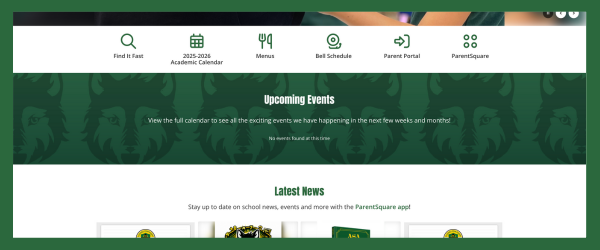
ASA Website
Your Information Library
What families find here:
- School calendars
- Bell schedules
- Lunch menus
- School policies
- Student & Family Handbook
- Board of Directors information
- Contact information
- Upcoming events
Find It Fast is your one-stop hub for frequently used resources—no searching required.
SchoolMint
Enrollment & Registration
What it’s used for:
- New student applications
- Waitlist updates
- Admissions offers
- New and returning student registration
When families use it most:
- Enrollment season
- Annual registration periods
Important to know:
SchoolMint is only for enrollment and registration—not daily communication.

Social Media
Celebrations & Highlights Only
What it’s used for:
- Student and school celebrations
- Highlights and special moments
What it’s not used for:
- School to home communication
- Academic updates
- Emergency communication
Social media is for celebrating our community—not for official school communication.
Need Help?
We’re here to support you.
If, after attempting to access the platform via the links shared above and working through any steps to troubleshoot a password reset, you can contact your school’s front office for assistance.
The school front office can:
- Update your contact information
- Help troubleshoot access issues
- Guide you to the right platform
Helpful links: